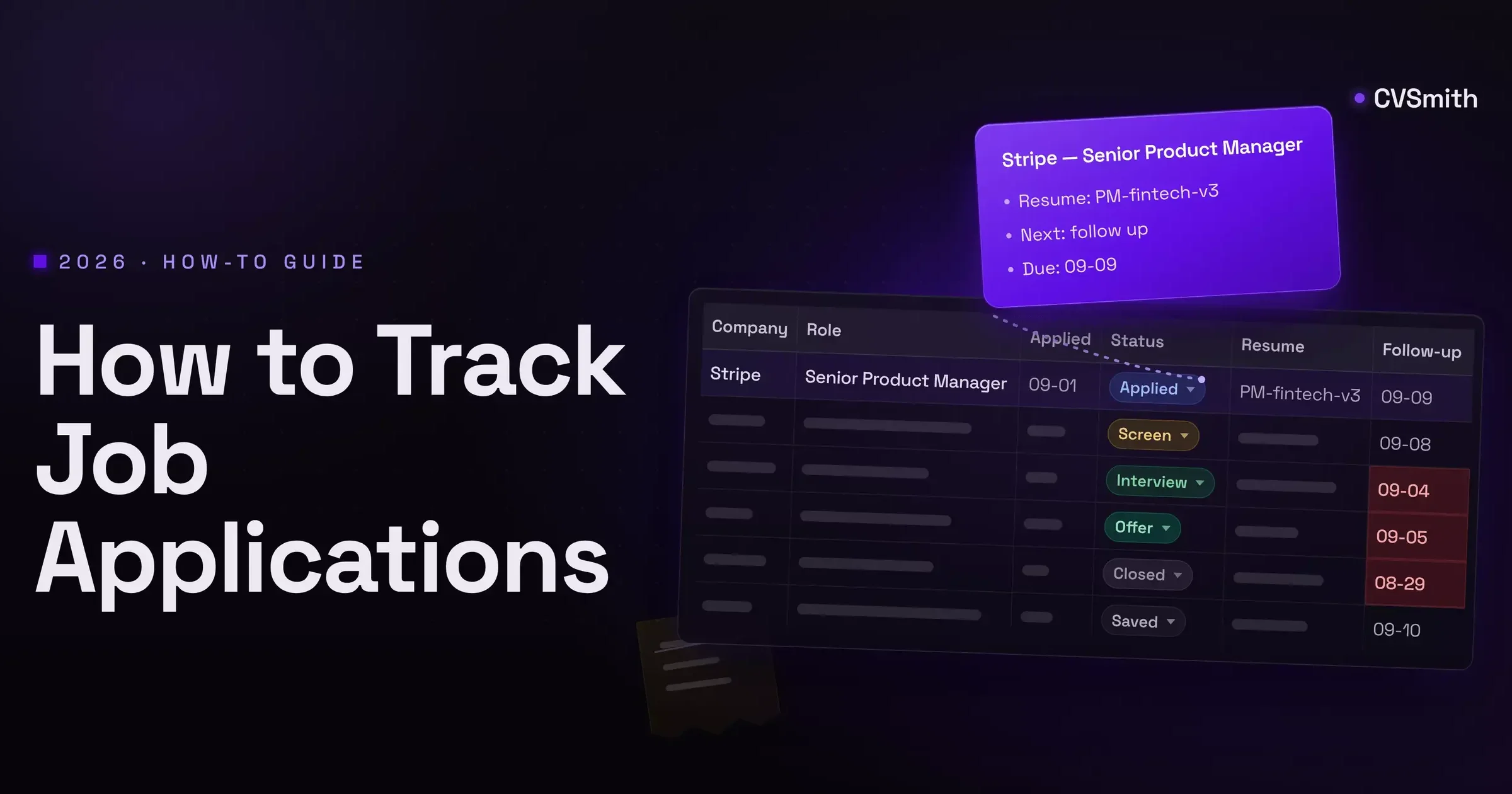
Most job searches start the same way: a handful of applications you can hold in your head. Around the tenth one, the list stops fitting. You cannot remember whether you applied to the Stripe role or only saved it, which resume you sent to the fintech that finally wrote back, or when you promised yourself to follow up with the recruiter who went quiet. This guide walks the method in order: what to write down, the spreadsheet columns that matter, the status stages and the follow-up rule, and the point where a spreadsheet stops being enough. By the end you can build the whole thing yourself in Google Sheets in about five minutes.
1. Write every application down the day you send it
The mental list fails for three reasons, and none of them is memory. It has no status, so "applied" and "heard back" blur together. It has no next step, so nothing tells you what to do on Tuesday morning. And it has no dates, so you cannot tell a role that went quiet four days ago from one that went quiet four weeks ago.
The fix is a rule, not a tool: nothing gets applied to until it has a row somewhere. The row takes thirty seconds to fill in and it captures the two things you will not be able to reconstruct later, the date you applied and the exact resume you sent. Everything else in this guide is about what the row should contain and what to do when the rows pile up.
2. Build the spreadsheet: the ten columns that matter
A job application spreadsheet works when every column answers a question you will ask later. These ten do. Skip the rest until you find yourself wishing for them.
- Company. Plain name, spelled the way they spell it. You will search this column.
- Role. The posting's title, not your paraphrase, so you can match it to the confirmation email.
- Link. The posting URL. Postings get taken down, so paste the requirements block into the notes column as well; you will need it before an interview.
- Date applied. The date the application actually went in, not the date you saved the job. Every other date is measured from this one.
- Status. One value from a fixed list. The stages are in the next section.
- Resume version. The file name or a short label for the version you sent: "PM-fintech-v3", not "resume_final". This is the column people skip and regret; a recruiter asking about a bullet you rewrote for another company is a bad call to have. If you tailor by keyword, the resume keywords guide shows what a version should change.
- Source. Where you found it: LinkedIn, the company page, a referral, a specific board. This column is how you learn which channel replies.
- Next action. One concrete step in a few words: "follow up", "prep for screen", "send references", "nothing, waiting".
- Follow-up date. The date the next action is due. Sort the sheet by this column and the top row is your to-do list.
- Notes. Recruiter name, salary range from the posting, who referred you, what the screen covered. Free text, no rules.
Copy this row and paste it into cell A1 of a new sheet. It lands in one cell; with A1 selected, open Data, choose Split text to columns, and pick Comma as the separator. Then freeze row 1 through View, Freeze, 1 row.
Company,Role,Link,Date applied,Status,Resume version,Source,Next action,Follow-up date,Notes

Two settings turn the sheet from a list into a tracker. Add data validation on the status column so it only accepts the stages below, and add conditional formatting on the follow-up column that colors any date earlier than today. That is the entire build. Compensation, contact email, and interview dates are reasonable additions once you know you will use them; ten columns you fill beat twenty you skip.
3. Set the status stages and one follow-up rule
Status only helps when the values are fixed. Free-text status columns fill up with "waiting", "waiting??", and "they said next week", none of which sort. Six stages cover a search:
- Saved. Found, not yet applied. Rows here have no date applied.
- Applied. Sent. The follow-up date is set to seven to ten days out the moment you move a row here.
- Screen. A recruiter call or a take-home is scheduled or done.
- Interview. Any round with the hiring team, however many there are.
- Offer. A written number.
- Closed. Rejected, withdrawn, or no response. Add a word in the notes saying which, and the stage you reached.
The follow-up rule is the part most people improvise and then abandon. Write it once: one follow-up, seven to ten days after applying, by email to the recruiter if you have a name and through the portal if you do not. After an interview, one more, about a week after the date they gave you. No reply after that, and the row moves to Closed at three to four weeks. The point is not that these numbers are magic. The point is that a rule written down removes the daily decision, and the daily decision is what burns people out.

4. Know where the spreadsheet breaks
By week three the sheet has thirty rows and the method starts to leak. The failures are specific, and they are worth naming because they tell you what a replacement must fix.
- The resume versions live somewhere else. The sheet says "PM-fintech-v3", the file is in a Downloads folder next to v2 and v4, and the cover letter you wrote for that role is in an email draft. The record and the documents are apart, and the gap grows with every application.
- Follow-ups need reminders, and a sheet has none. Conditional formatting turns a cell red; it does not tell you. If you did not open the sheet on the day, the follow-up slipped. Calendar entries for each row work but double the bookkeeping.
- Status changes are manual and lag reality. The interview invitation arrives in your inbox, the recruiter reschedules in a text, and the row still says Applied. The sheet is only as current as your last honest hour with it.
- Nothing tells you what to do next. Sorting by follow-up date gives you a list of dates, not a plan. Which of the six rows due today matters most, and what exactly should the message say? The sheet has no opinion.
- Reading the data takes effort you will not spend. Replies by source, rejections by stage, time to first response: all of it is in the rows, and a pivot table can show it, and almost nobody builds the pivot table in the middle of a search.
None of these breaks the sheet at ten live applications. All of them break it at thirty. The transition is not about discipline; it is about the number of open loops a person can carry next to a full-time job or a full-time search.
5. Decide what your system has to do
Before choosing a replacement, write the requirement, because most tools solve one of the failures above and leave the rest. A working system, whatever it is, keeps one record per job that holds five things:
- The posting itself, saved, not linked, because postings disappear.
- The tailored resume you sent, attached to that job, not filed by date in a folder.
- The cover letter for that job, in the same record, if the application had one.
- The status and its history, so a rejection after a final round is not stored the same way as silence.
- The next action with a date, surfaced to you without opening the record.
That is a requirement, not a product description. A spreadsheet meets the fourth and fifth points with the setup above and fails the first three. A kanban tracker usually meets the first, fourth and fifth, and stores the documents as attachments you still write elsewhere. The question for any tool is simply which of the five it handles and which it hands back to you.
6. Pick the setup for your volume
Three honest options, by the number of live applications, meaning rows that are not Closed.
- Under about fifteen: keep the sheet. The build in sections 2 and 3 is enough, and the upkeep is minutes a day. Adding a tool here adds a login without removing work.
- Fifteen to forty: use a tracker. A board with stages, reminders, and a place to attach files. You still tailor each resume yourself and copy it in, but follow-ups stop slipping and status stops lagging. The tracker comparison covers the current field; Best Job Application Trackers walks each one by the category it genuinely wins.
- Beyond that, or when the tailoring is the bottleneck: use a managed workspace. This is where the tool prepares the record instead of storing it. CVSmith is one of these, and it is ours, so take the description with that in mind: you save a job, it pulls the posting's keywords, drafts a resume version and a cover letter for that role, scores the match, and puts the application on a board with the next action and date attached. Free to start, then $9/month. If you are under fifteen live applications, you do not need it yet, and the sheet will serve you well.
Whichever you pick, keep the rule from section 1. A tool you do not update is a mental list with a subscription.
FAQ
- How often should I follow up after applying?
- Once, seven to ten days after the application date, unless the posting gives a timeline. A second follow-up only after an interview or a recruiter conversation, about a week after the date they named. More than that reads as pressure and rarely changes the outcome. Put the follow-up date in the tracker the day you apply so the decision is already made.
- When should I mark an application dead?
- Three to four weeks with no reply after one follow-up, or the moment the posting is taken down or reposted. Mark it "No response" rather than deleting it: the row still tells you which boards and resume versions produce replies, and roles sometimes come back months later.
- Should I track rejections?
- Yes, as their own status, with the stage you reached. A rejection after a screen and a rejection with no reply are different signals. Ten rejections at the resume stage point at the resume; ten after final rounds point at interview preparation or at the roles you are choosing.
- How can I tell which job board actually works?
- Keep a source column and fill it every time. After thirty applications, count replies per source. Most people find that one or two channels, often referrals or direct company pages, produce most of the interviews, while the highest-volume board produces the least. Shift your hours toward the channels that reply.
- How can I track the status of my job application with the employer?
- You mostly cannot. Some portals such as Workday or Greenhouse show stages like "Under review", but many never update, and "Under review" can mean nothing has happened. Track what you control instead: the date you applied, the follow-up date, and the reply. If nothing moves in three to four weeks after one follow-up, treat the application as closed.
- What is the best way to organize my job applications?
- One record per application with the same fields every time: company, role, link, date applied, status, resume version, source, next action, follow-up date, and notes. Below about fifteen live applications a spreadsheet holds that. Above it, use a tracker or a workspace that keeps the tailored resume and the follow-ups inside the record.
- Is there a job application tracker for Google Sheets?
- Build one in five minutes: paste the header row from this article into A1, split it into columns from the Data menu, freeze row 1, add data validation on the status column with your stages, and sort by follow-up date. That gives you everything a downloaded template gives you, with columns you understand because you chose them.
- How long should I expect to wait for a reply?
- Most replies that arrive at all come within two weeks of applying; interview invitations often land in the first week. Large companies and public-sector roles can take four to eight weeks. Set the follow-up for day seven to ten and the close-out for week three or four, then let the dates do the deciding.
The short version
Write every application down the day it goes out. Use ten columns: company, role, link, date applied, status, resume version, source, next action, follow-up date, notes. Fix the status values to six stages and follow up once at seven to ten days, closing out at three to four weeks. Expect the sheet to leak at about thirty rows, where the resume versions, the reminders and the next actions all live outside it. When that happens, choose a tool by which of the five record requirements it meets, and stay on the spreadsheet until the volume actually asks for more.